How to Enable Cross-domain Tracking For Google Analytics in Funnelll; No coding needed
How to Enable Cross-domain Tracking For Google Analytics in Funnelll; No coding needed
Funnelll makes it super simple to enable Cross-domain tracking on Google Analytics; No coding needed!
Do you have a website that spans two or more domains e.g. www.superapp.com and www.absolutelyawesomesite.com? This is a common situation where you need to use cross-domain tracking.
Why Use Cross-Domain Tracking
Without cross-domain tracking in place, a new session is started when a customer is moving from one domain to another. In other words, Google Analytics treats the same customer as two separate customers, one on each domain. This causes you to lose attribution data e.g. which marketing campaign brought the customer and lead them to take an action on your website.
Enabling Cross-Domain Tracking on Funnelll
Funnelll makes setting up cross-domain tracking as simple as swiping a button.
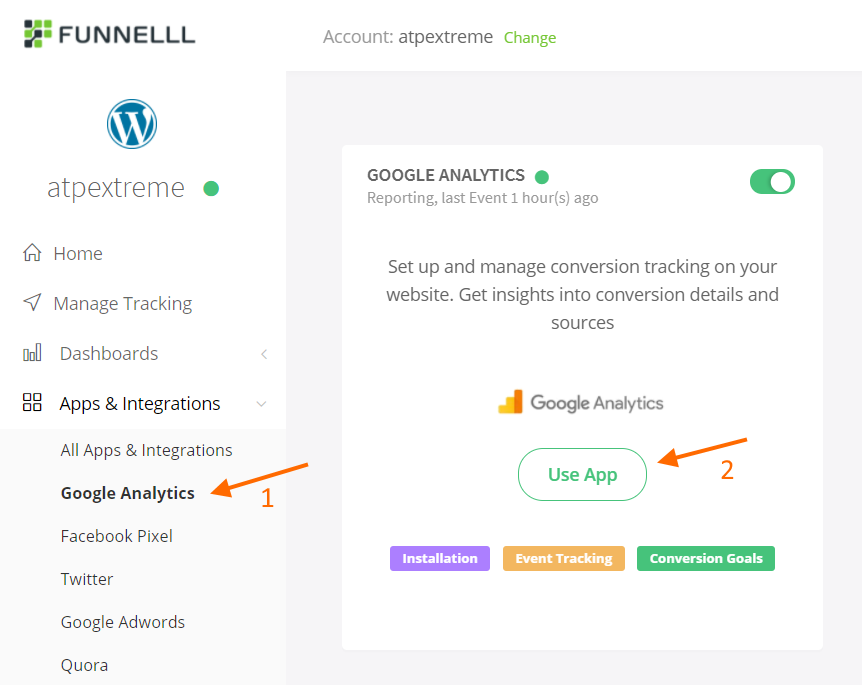
1. Navigate to Apps & Integrations > Google Analytics from the left navigation 2. Click Use App
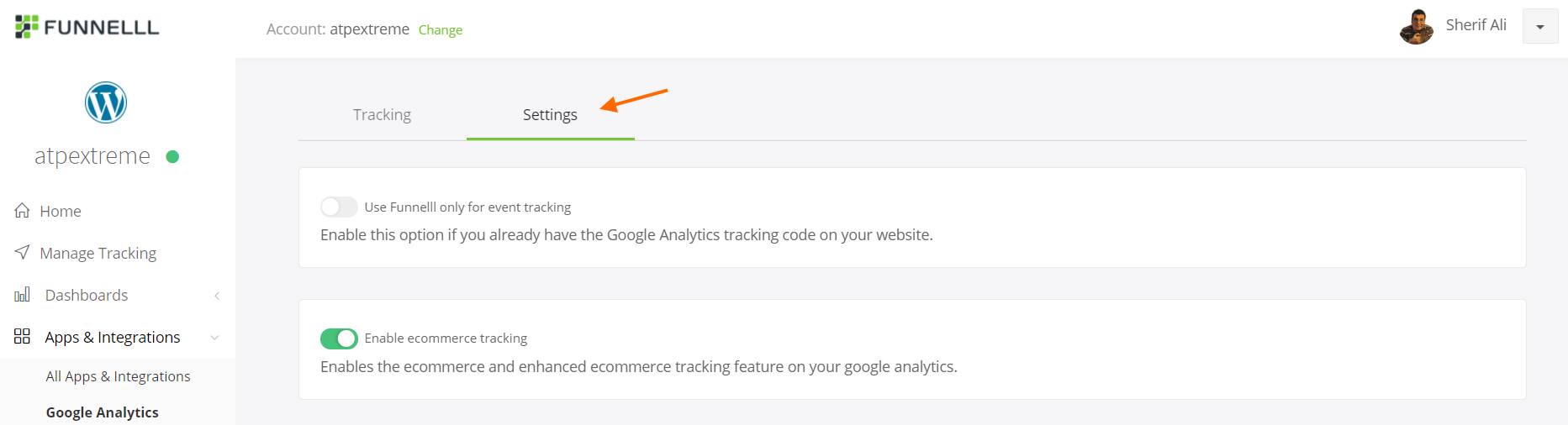
3. Click Settings
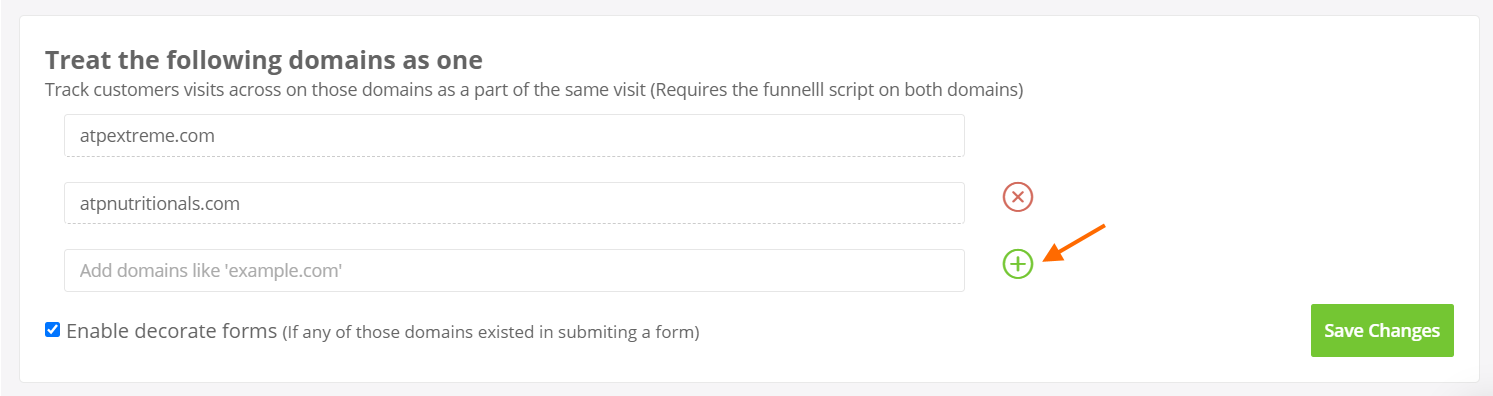
4. Scroll down to Treat the following domains as one. You will see that your first domain is added by default to the list 5. Add the additional domains you want to track across. Notice that you will need to have the same Funnelll script on all domains.
6. Click the + icon to add a new domain 7. Click Save Changes