How to convert Proposal to Invoice in a single click?
Save your time by converting your Proposal to Invoice with a single click.
To convert Proposal to Invoice, please follow the below steps:
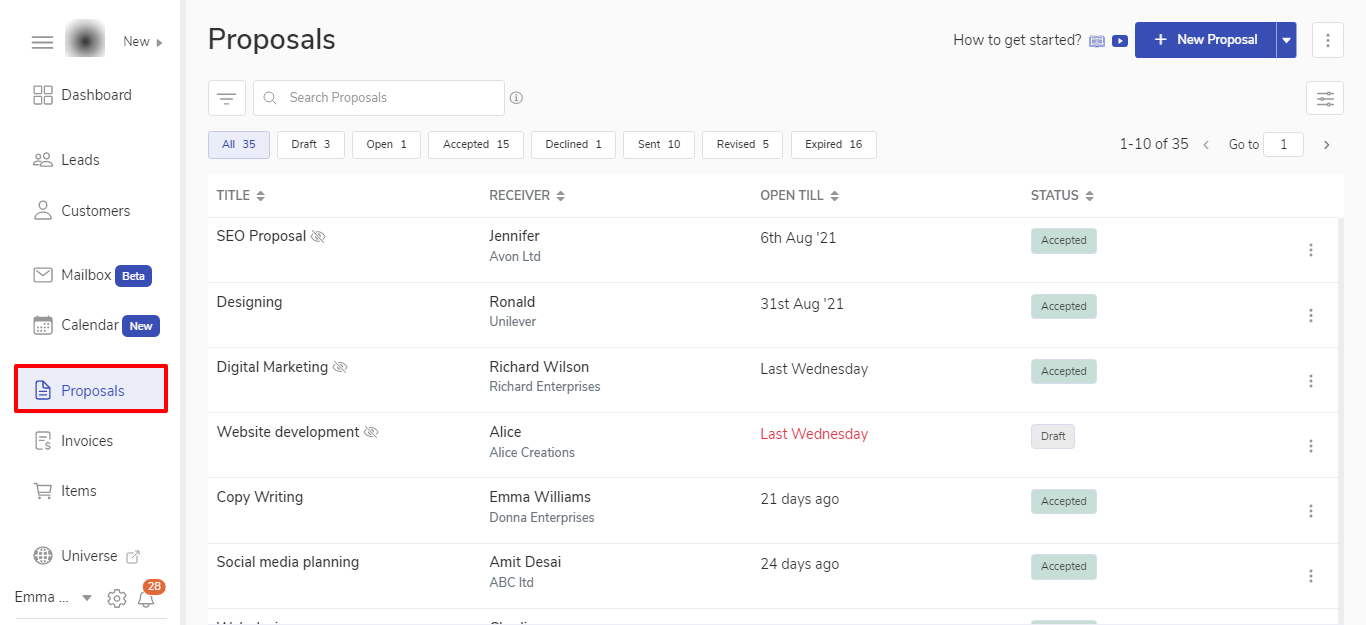
Go to the Proposals listing page from the sidebar.
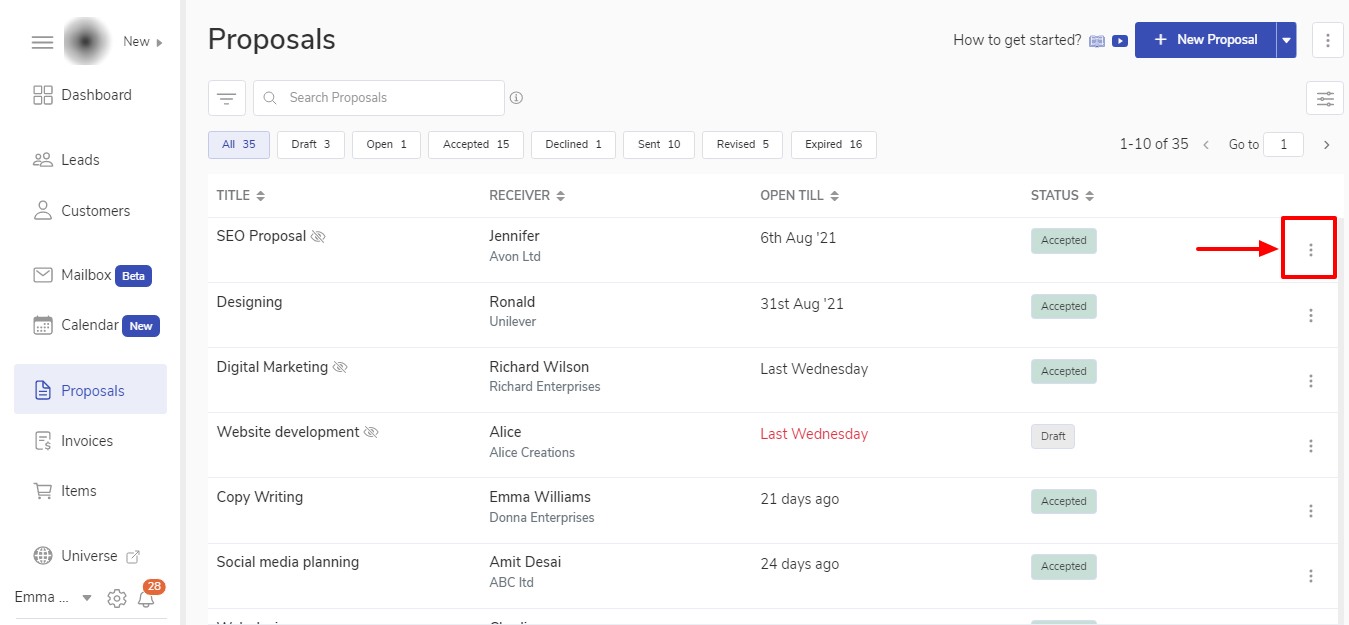
Find the Proposal you wish to convert into the invoice. Click on the three ellipses icon on the right side.
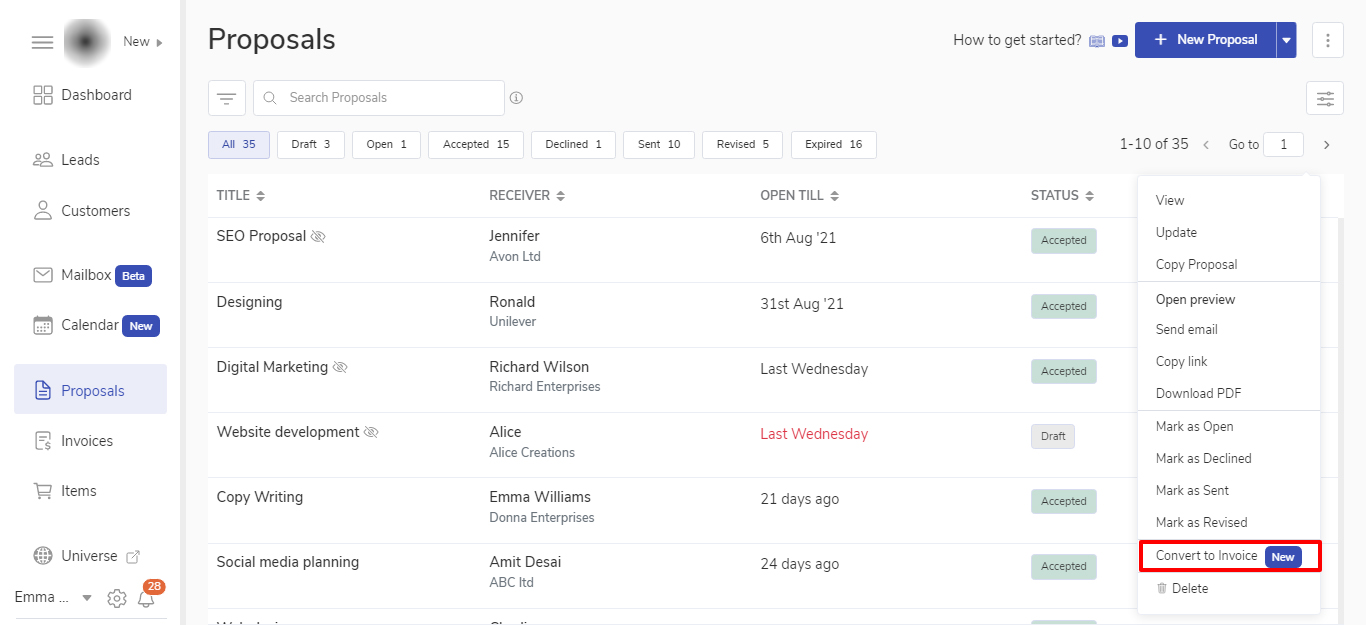
Click on Convert to Invoice from the dropdown.
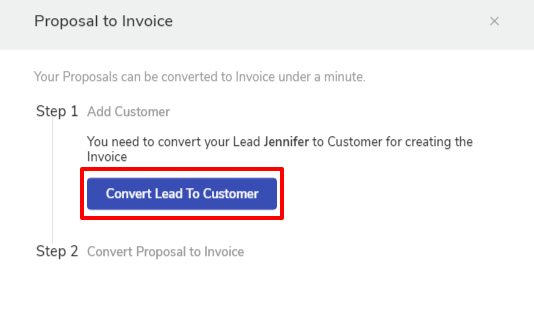
When you click on Convert to Invoice, it will open a modal window.
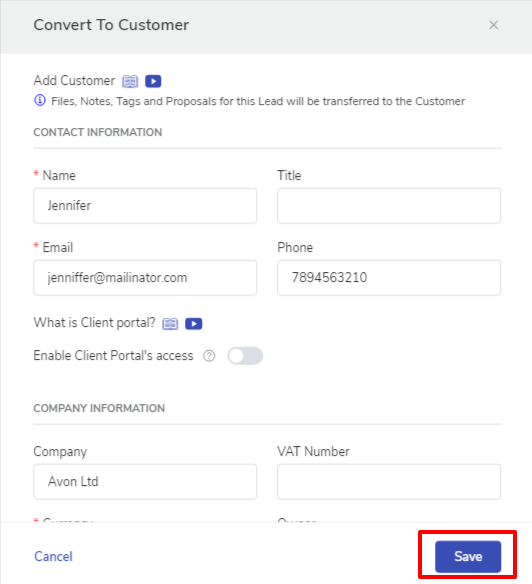
Click on Convert Lead to a Customer.
📌 Note: An Invoice is always created for a Customer. So to convert a Proposal to Invoice for a Lead, you need to convert the Lead to a Customer. This step will be auto skipped if the Proposal was sent to a Customer.
This will auto-fill the Customer creation form with the existing Lead details. You can add or modify any missing information about the customer.
Click on Save to save the Customer information.
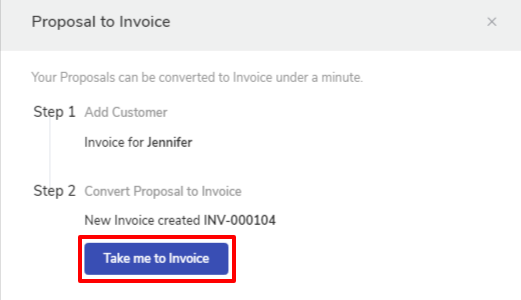
After this step, an Invoice will be auto-created with the details of the customer and the proposal’s pricing table.
The invoice will be in the draft status. You can go to the invoice by clicking on the button “Take me to Invoice“ to send it.
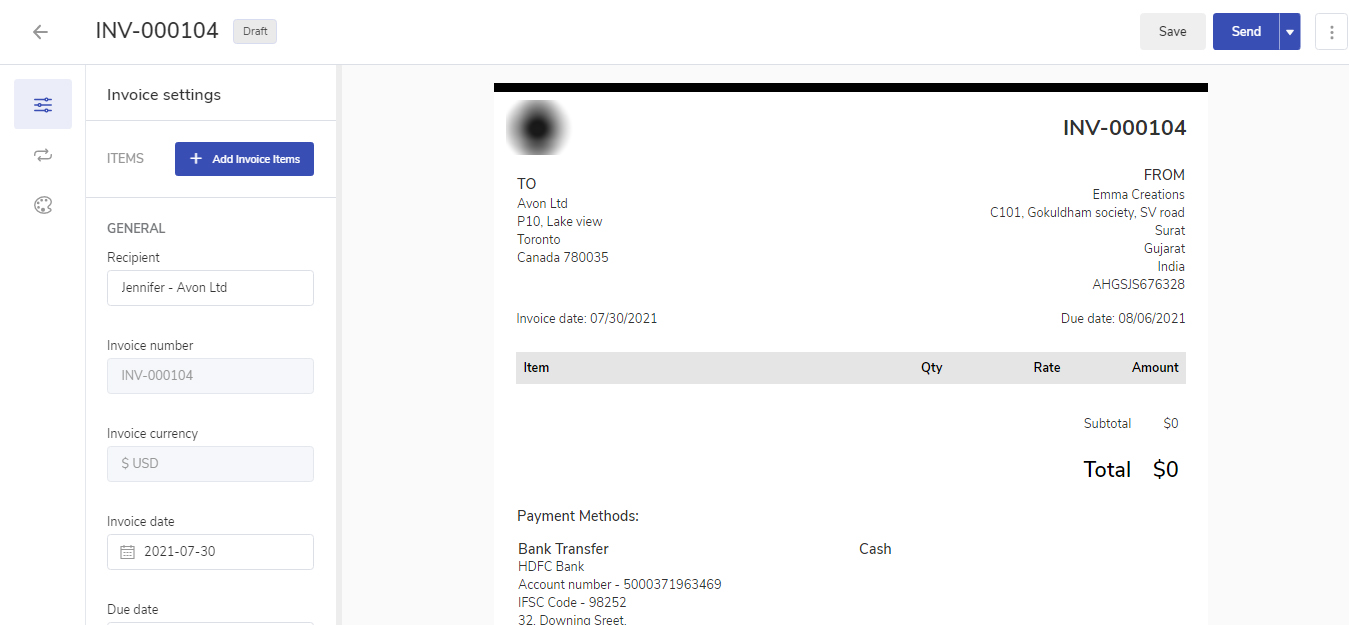
It will take you to the newly created Invoice draft.
If you wish to make any changes in payment methods, custom fields, Client notes, terms, and conditions, etc, you can do so. Ensure your Invoice is ready with all the details. Now you can click on the Send button.
This will open up the default email template set by you. You can check the email content before sending it and make any changes if you want to.
📌 Note: How to set default email for sending Invoices?
Click on the Send button to send the email with the Invoice information.
💡 Tip: You can also send a test email to yourself by choosing “Send test email” in the send dropdown menu.
You will receive the notification in the app when your Customer will open the Invoice email and also when he will open the Invoice. You will also be notified when your Customer will make the payment for that Invoice.
That’s it! You are all set to receive Payment.
❓Frequently Asked Questions (FAQ)
Will the invoice get directly sent to the Customer? The Invoice will be created in the draft stage. You can review the invoice and send it.
Can I edit the Invoice before sending it? Yes, you can edit and change the details in the Invoice before sending it as the Invoice is created in draft status.
Can I convert only the accepted Proposal to an Invoice? You can convert the Proposal to an Invoice if the Proposal is in any stage.