Use Case: Suppose say if you want to share the same proposal to different clients without creating the entire proposal from start but just changing the contact details so you can accomplish the same by this feature.
In order to duplicate the proposal you need to follow the following steps:
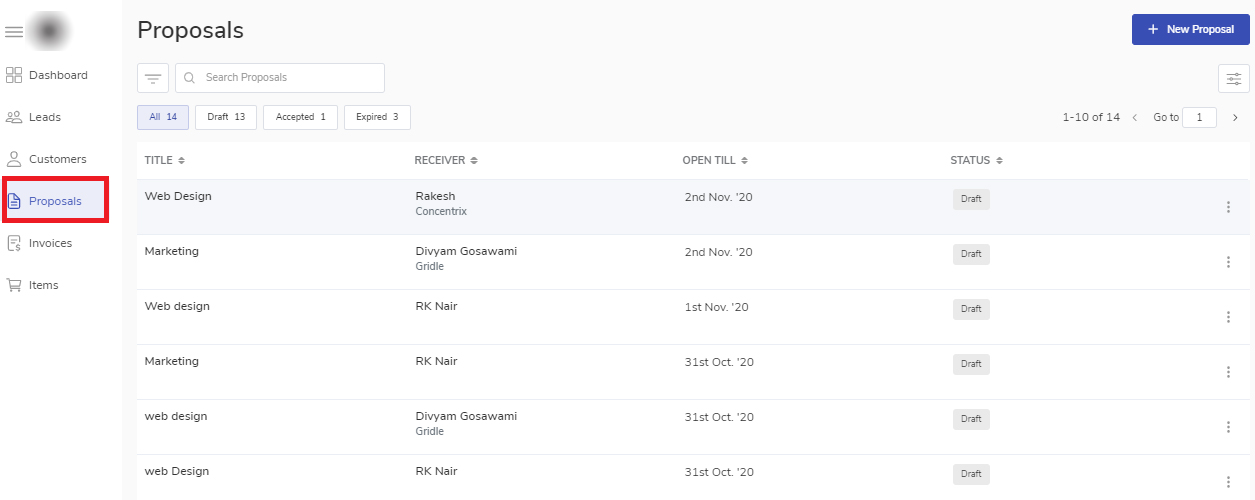
Navigate to the Proposal module to open the proposal listing table.
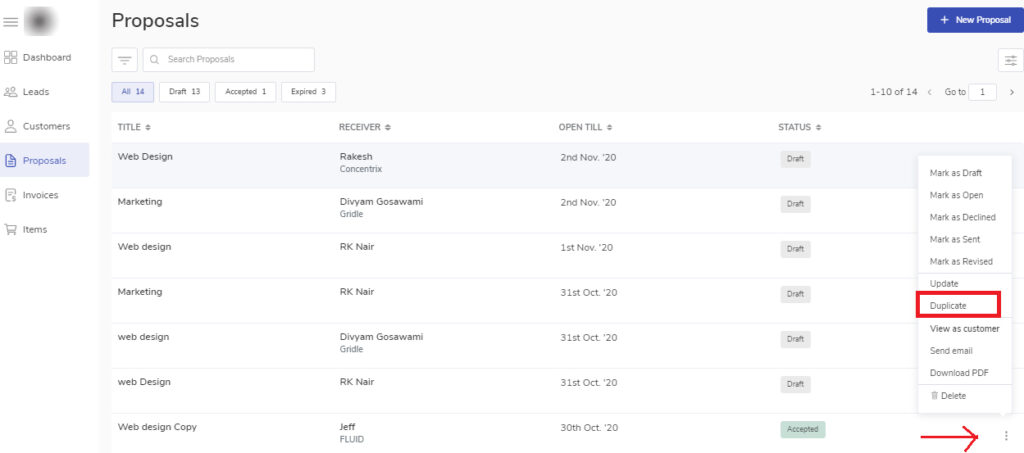
Select the proposal you want to duplicate from the proposal list.
Click on the ellipsis icon and choose duplicate.
This will take you to the proposal editor page where you can do the necessary changes if required.