Adding new affiliates to the system, so that they can use their referral links and gain referral earnings, is simple. Site admins can add affiliates manually, or (if enabled) affiliates can register accounts themselves. Affiliate accounts are tied directly to user accounts in the WordPress user database.
Adding New Affiliates Manually
If the affiliate that you are creating an account for does not already have a WordPress user account on your site, first go to Users → Add New and create the user account. Once the user account is created, the user can be registered as an affiliate.
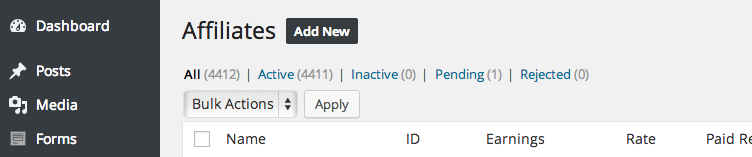
To register an existing user account as an affiliate, go to Affiliates → Affiliates and click the Add New button at the top of the screen:
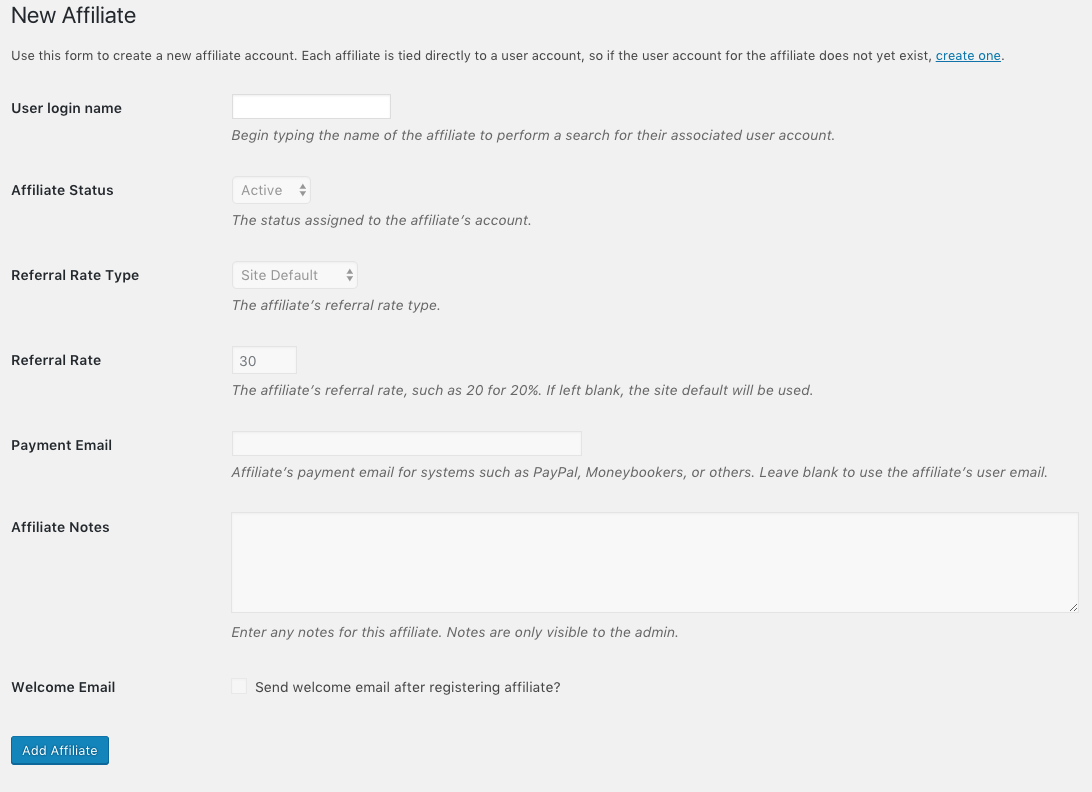
You will be presented with a form that looks like this:
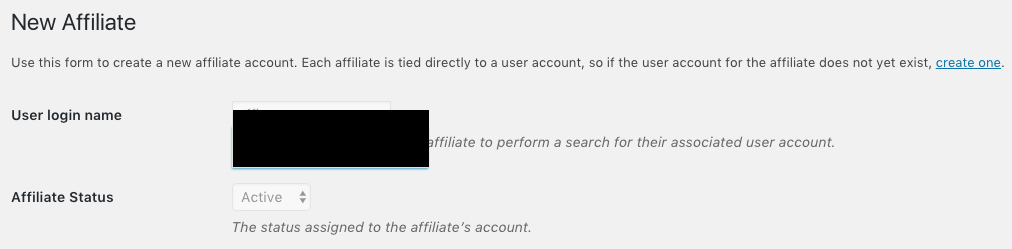
In the user field, begin typing the name, email, or login name of the user account you wish to register as an affiliate. A list of users will be shown matching the partial name you have entered:
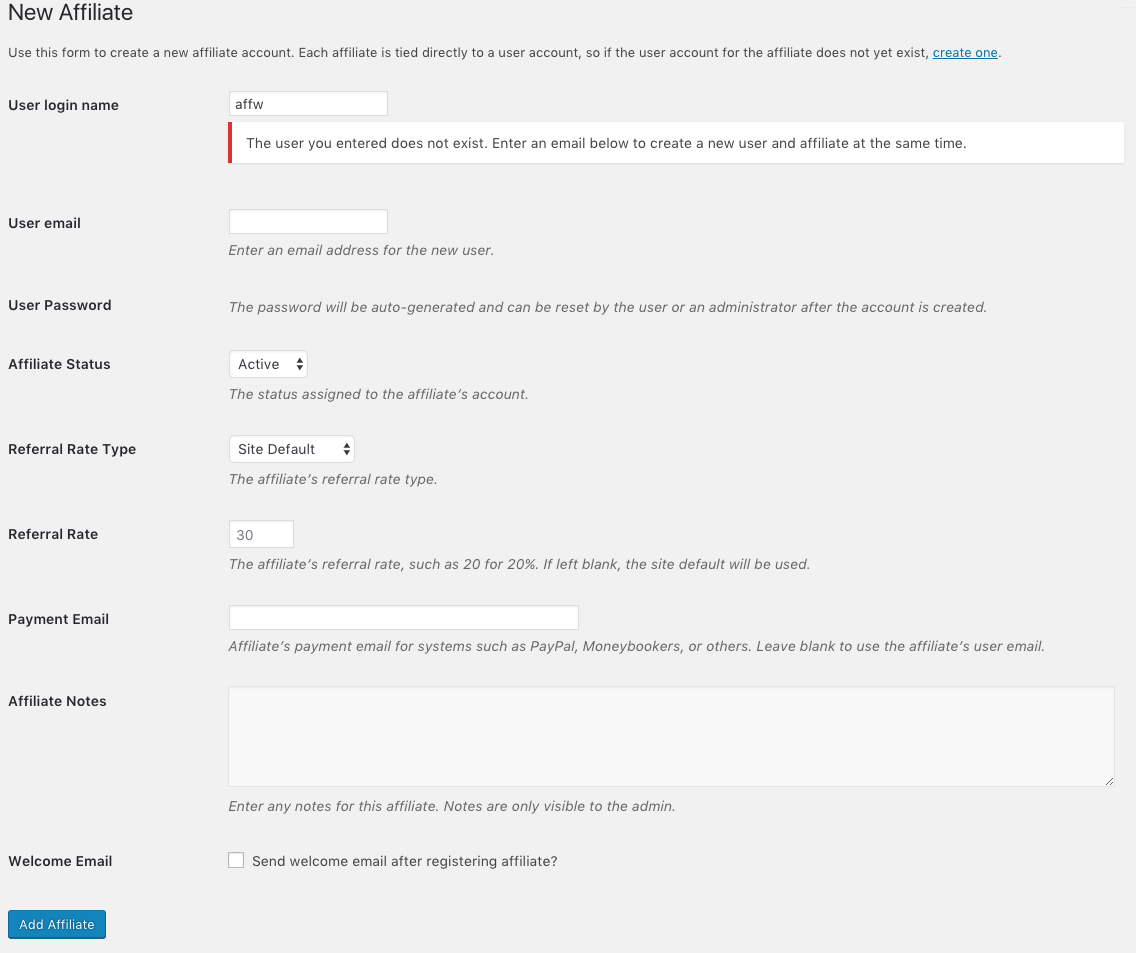
Simply click on the user account that you are registering as an affiliate. If you do not receive a match, you will see a message noting this as well as a User email field will appear. This allows you to register the new affiliate as a new WordPress user as well while remaining on this screen:
Optionally, you can set the affiliate’s payment email, referral commission rate and type, and add notes about the affiliate if desired. The payment email will be used in the referral payout file and is generally associated with an affiliate’s PayPal (or similar) account. Finally, you can check the box to prevent the affiliate application acceptance email from being sent out with the manual registration.
Referral Rate and Referral Type
The referral commission rate is the amount the affiliate will earn on each successful referral. You can also set the referral type if you would like a different setting (percentage vs flat rate) than what you have in the global settings in Affiliates → General. For example, if this is set as a percentage, and you wanted to give the affiliate 20% of every successful sale their affiliate links generated, you would enter 20 here. You do not have to set either of these if you wish your affiliates to have the global rate amount and rate type.
Add New WordPress User
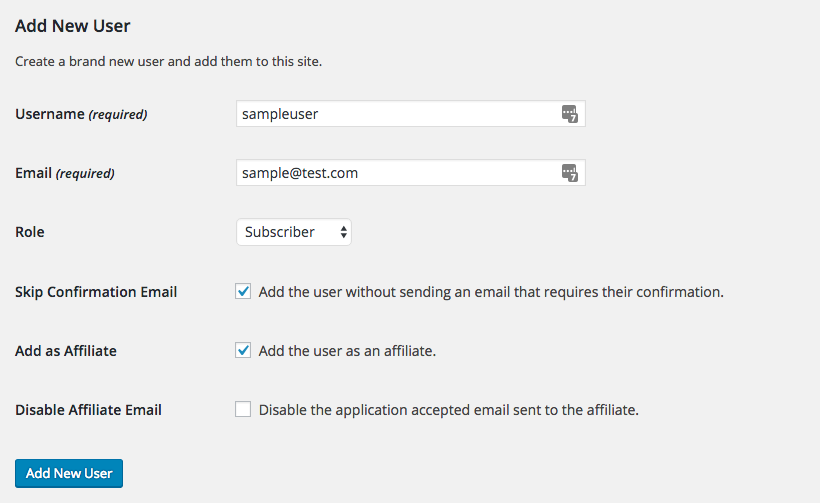
Affiliate accounts can also be registered when manually creating WordPress user accounts on your site under Users → Add New by ticking the Skip Confirmation Email checkbox, and ticking the Add as Affiliate checkbox:
You can also choose to disable the “Affiliate Application Accepted” email which is sent to the affiliate if you are adding their account manually from this screen.
Note: The Add as Affiliate and Disable Affiliate Email checkboxes will only show when you check the Skip Confirmation Email box, and if you do not have Auto Register New Users enabled in Affiliates → Settings → Misc. If you have the Auto Register New Users setting enabled, the affiliate account will be automatically created when you create the new user account.
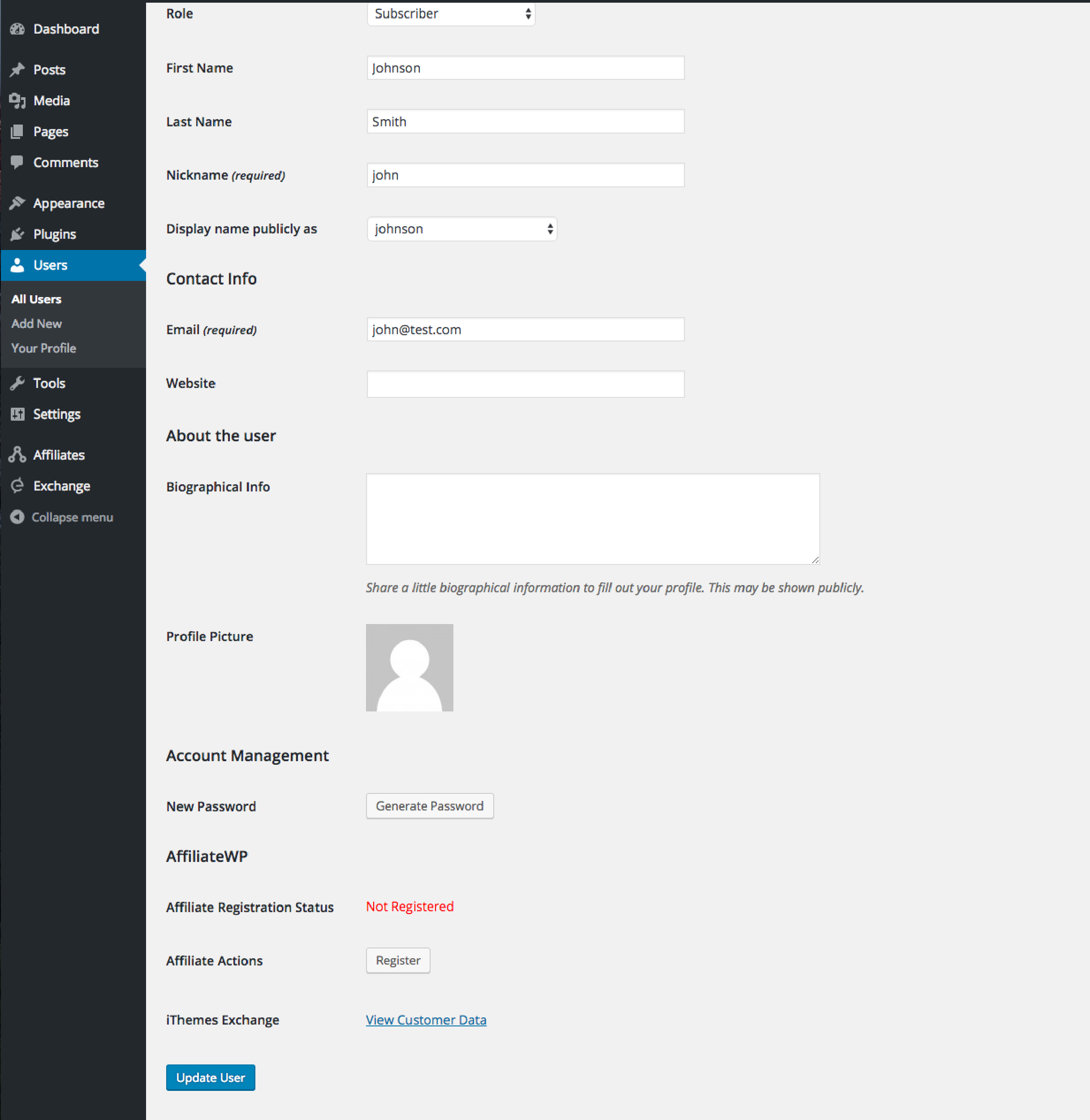
If you wish to convert an existing user account to an affiliate, this can also be done from the user’s Edit screen. Simply click the Register button under the AffiliateWP section section as shown here:
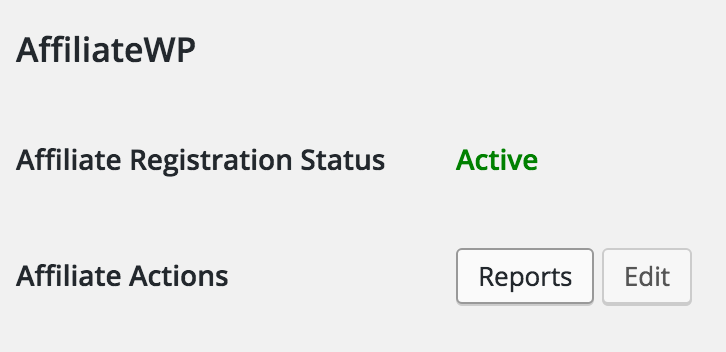
Once the user has been added as an AffiliateWP affiliate, some additional helpful items will be shown in this area. The registration status will change to Active, plus you will see button links to that affiliate’s Reports and their Edit Affiliate page:
Allow Affiliates to Register Themselves
If you would like to allow affiliates to register themselves, first enable affiliate registration in the Misc settings tab:
Once you have done that, a registration / login form will be shown in the Affiliate Area. Also, in the Misc settings section is an option to set whether affiliate registrations must be moderated by site admins:
If Require Approval is enabled, affiliates will be registered with a Pending status and a site admin will then need to accept or reject them from the main Affiliates page in the WordPress admin. Site admins will receive an automated email anytime an affiliate registers.
Auto Registering New Users
Users can be automatically registered as affiliates by enabling the Auto Register New Users option shown here:
This is useful if you intend to import a large number of user accounts, or WordPress user registration is enabled on your site.
Note: If you have imported users and do not want them to receive an affiliate approval email when they are approved, we have a code snippet available, for developers to implement, that you can temporarily enable.
Generating affiliate accounts for all existing WordPress user accounts
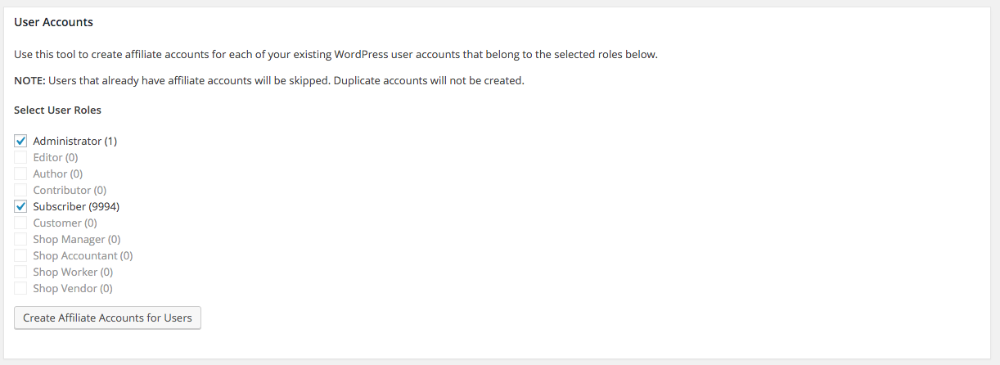
Another alternative is to create affiliate accounts for all of your existing WordPress user accounts. If you’d like to do that, you can do so by visiting Affiliates → Tools → Migration Assistant → User Accounts → select desired roles → click on the Create Affiliate Accounts for Users button as shown here:
Use this tool to create affiliate accounts for each of your existing WordPress user accounts that belong to the selected roles above the Create Affiliate Accounts for Users button.
Note: Users that already have affiliate accounts will be skipped. Duplicate accounts will not be created.
Adding Affiliate Notes
As of AffiliateWP 2.0, you can add private notes to any affiliate account. Affiliate notes are visible only to site administrators. This could be used for:
Promotion methods if the affiliate has been manually added.
To store any specific payout information.
Storing additional website URLs where the affiliate promotes the site owner’s website, other than the primary URL.
Storing additional links to social media accounts.
Storing the affiliate’s private contact details, such as a phone number.
Making notes regarding the affiliate of which other site admins should be aware.
Making personal notes regarding the affiliate.
The possible uses are almost endless!
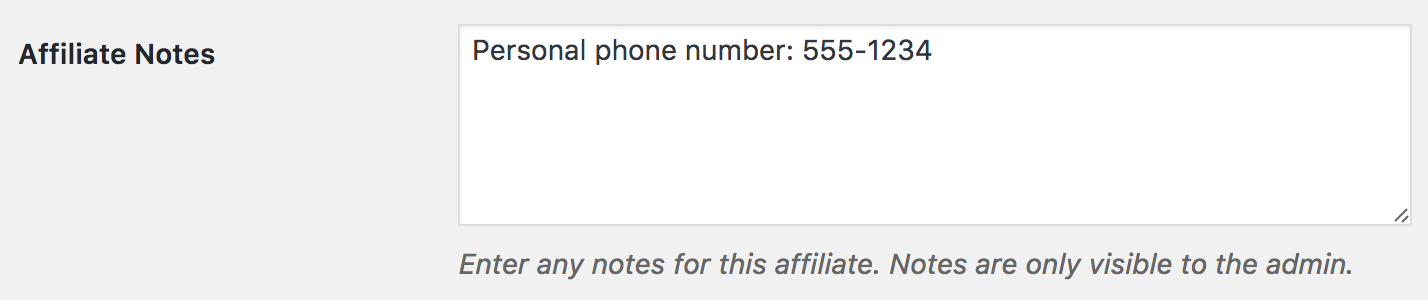
To add a note for an affiliate, go to the Affiliates → Affiliates screen, and click edit for the desired affiliate. At the bottom of the affiliate’s account screen, enter notes in the Affiliate Notes field: