Filtering Out Unwanted Referrals in Google Analytics Using Funnelll
Warning: Trying to access array offset on value of type bool in /home/u804697833/domains/onshowcreative.populis.click/public_html/wp-content/themes/tessera/includes/bs4breadcrumb.php on line 100
Filtering Out Unwanted Referrals in Google Analytics Using Funnelll
How to remove unwanted referrals from payment gateways, social logins, and others using Funnelll
Referral traffic is the segment of traffic that arrives on your website through another source, like a link on another domain. While this is useful in understanding which websites are referring customers to your website, you will also notice that things like social login or payment gateways start showing as referrals albeit not being actual referrers or a part of your customer acquisition sources.
Here is how to remove those “spammy” referrals from Google Analytics using Funnelll.
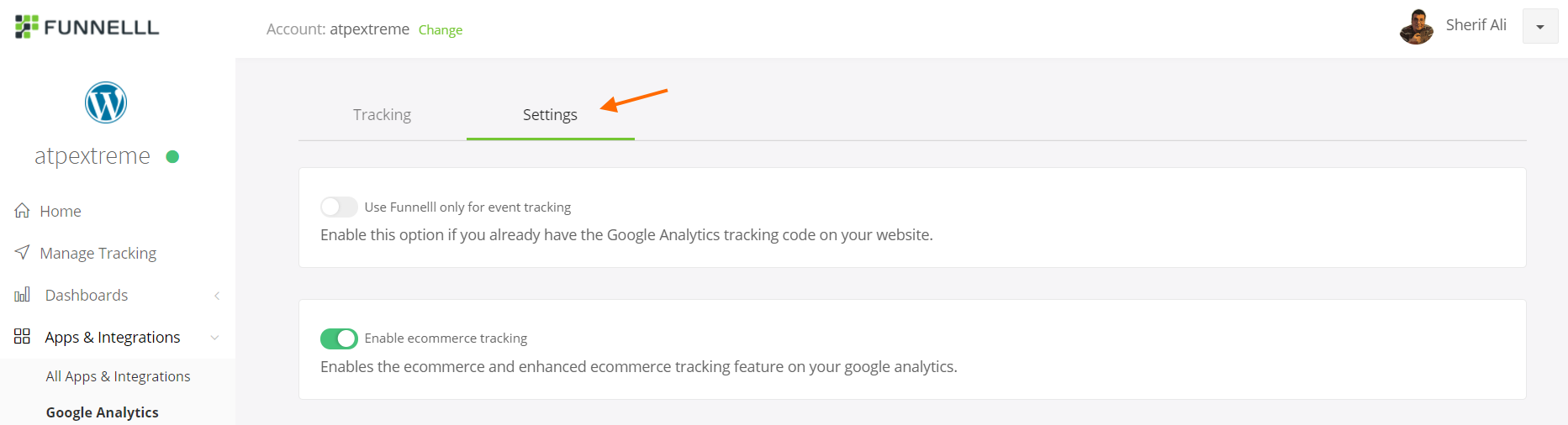
Navigate to Apps & Integrations > Google Analytics from the left navigation
Click Use App
3. Click Settings
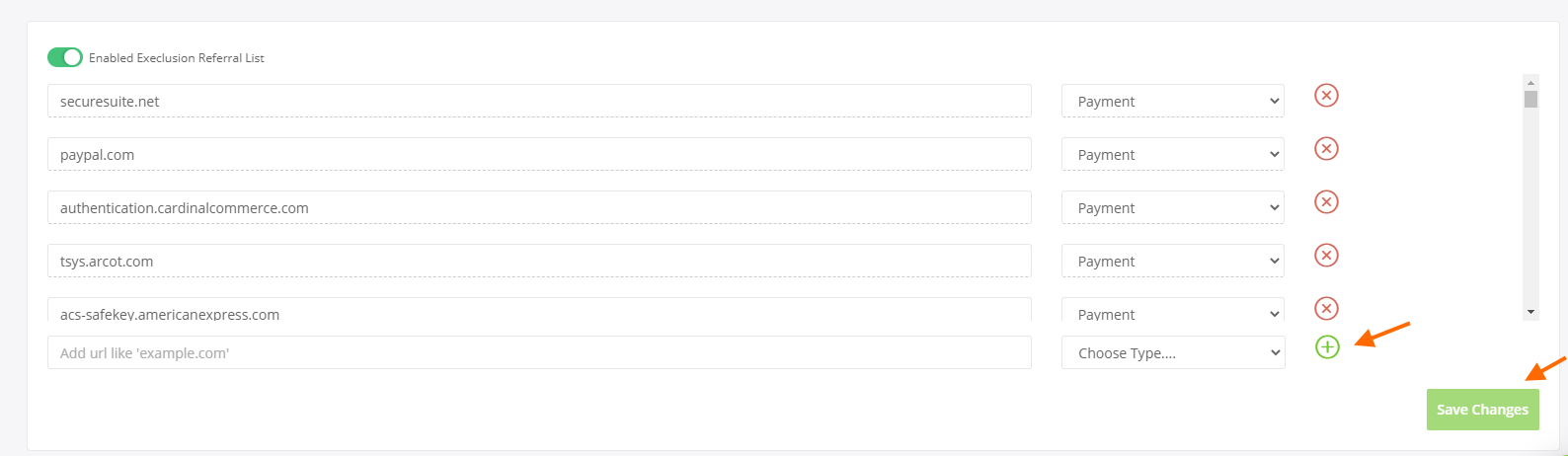
4. Scroll down to Enable Exclusion Referral List
5. By default, Funnelll adds a list of the most common referral sources from social logins and payment gateways
6. To exclude additional referrals, add the referrer URL, choose a referral type like Social, Payment, or other, then click the + icon