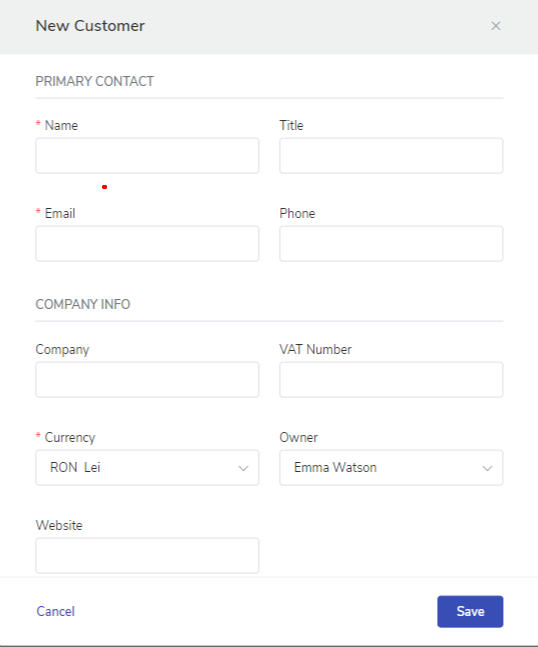
Here are some quick steps to add your customer :
Navigate to the Dashboard.
Click on Customer module.
On the upper right corner of the page click on New customer button.
Enter Primary Information, Client Address, Billing, and Shipping Details
Click Save
You need to follow the same step as above.
Note: Leave the company field blank
Your email address will not be published. Required fields are marked *
Comment *
Name *
Email *
Website
Save my name, email, and website in this browser for the next time I comment.
Username or Email Address
Password
Remember Me