What are Digital Signatures and in which documents you can use them?
A digital signature is a technique used to validate the authenticity of the digital document. It provides the assurances of evidence of origin, identity, and status of an electronic document, transaction, or message and can acknowledge informed consent by the signer.
You can use them for getting signed proposals from your clients along with your signature.
How to save your digital signature in your profile details?
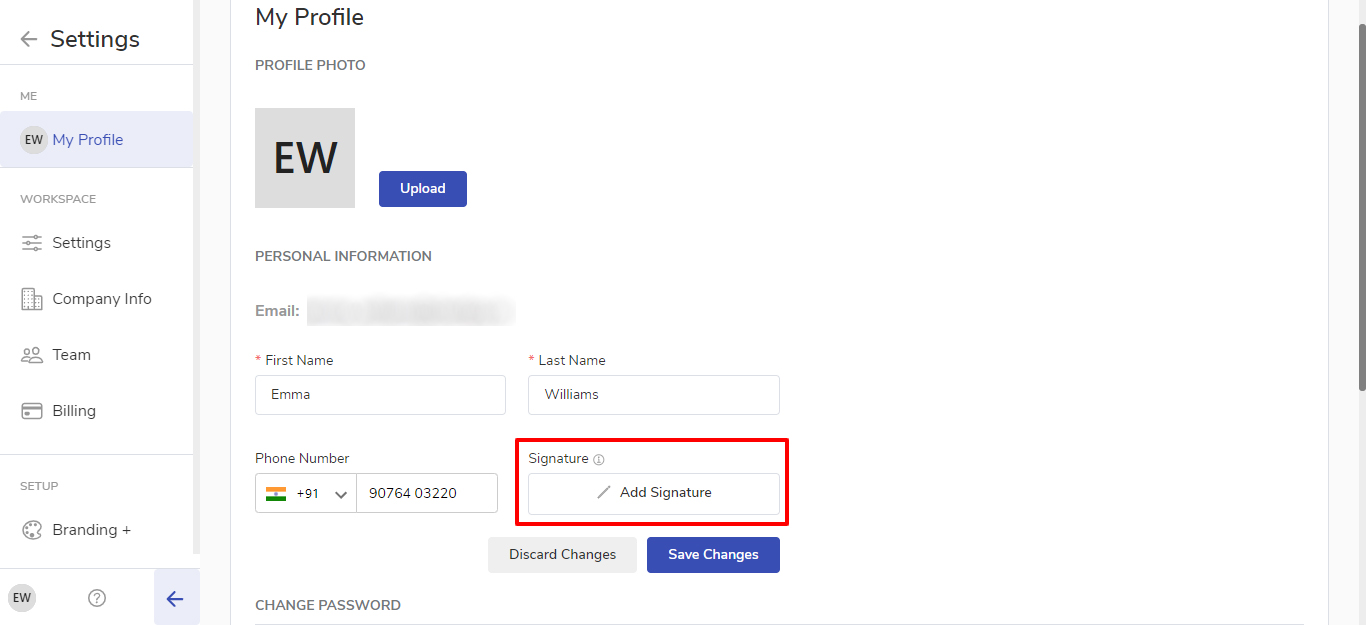
Click on Settings
Go to Profile Settings
Click on edit signature
You can either type your name or draw your signature
Click on Save changes
Please note: The signature added is user-independent and not workspace independent. So each user will have to add a signature.
How to add a digital signature option to the Proposal?
Click on + New Proposal
Fill in the details of Proposal Title and Receiver
Create the proposal
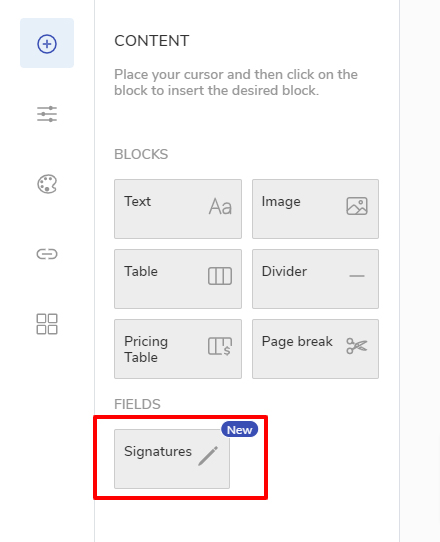
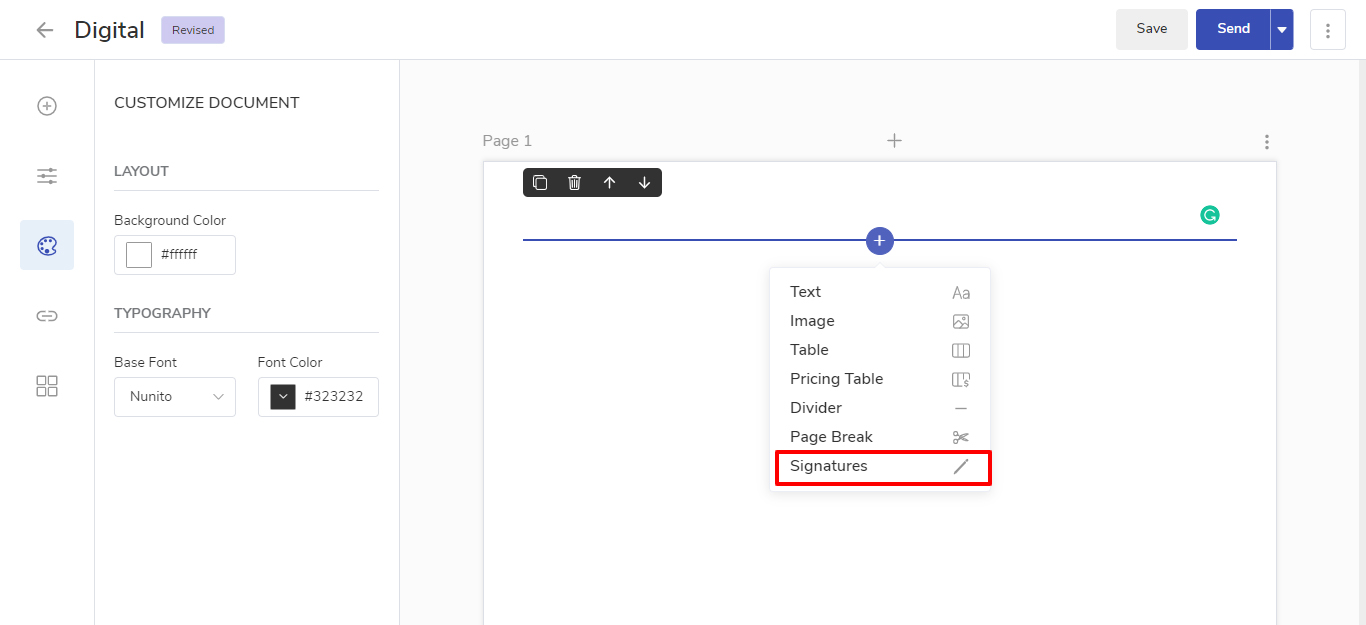
To add the signature option click on the Field Signature
It will show you the option of adding your signature as well as the receiver’s signature.
If your signature is already added to your profile details, the system will automatically show it on your proposal and if it is not added then you can manually add it by clicking on it.
Please note: If you don’t want to add your signature to the proposal, you can simply remove it by pressing backspace and only the receiver’s signature option will be available.
Once the proposal is created, you can send the proposal to your Customer.
How can a Customer add his signature?
The Customer can sign the proposal in two different ways:
Type: Here user can type the name in order to sign the proposal.
Draw: Here user can draw the signature.
How will I know that the Proposal is accepted or digitally signed?
As soon as the proposal is signed by the client, the agency will receive the email that the customer has accepted and signed the proposal, and also the status of the proposal will change to accept.
How can I have a look at the Digital signature?
In order to have a look at the digital signature, you can open the proposal and in the proposal info column, you will be able to find the customer signature, and also in the proposal pdf, the signatures of both the parties will be available.