Smart Funnel Dashboard

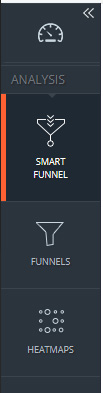
Once you have logged in to your account, the vertical right menu bar will show you your toolkit:

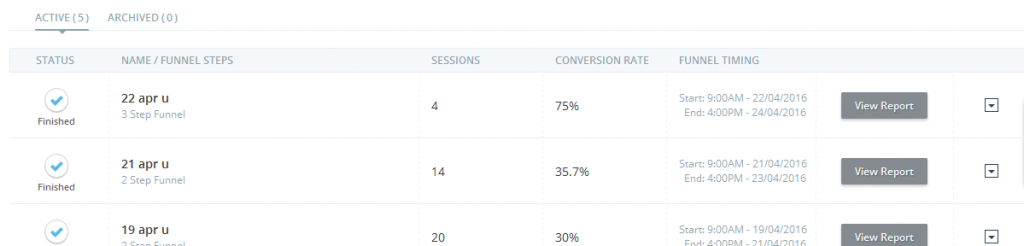
Clicking on Smart Funnel will bring you to the Smart Funnel Dashboard:

From the Dashboard you can:

  • See all your funnels: active and archived 
  • See some basic information for all funnel: name, steps, sessions, conversion rate (This depends upon what is selected under “Choose primary conversion rate” from campaign configuration).
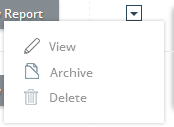
  • Edit, archive or delete funnel

Please Remember: Once deleted any campaign, you will lose all associated data and will not be able to recover it. TruConvesion will immediately delete all the data from its data server.

  • See Smart funnel report by clicking on the funnel
September 3, 2024
Was this article helpful?

Leave a Reply

Your email address will not be published. Required fields are marked *