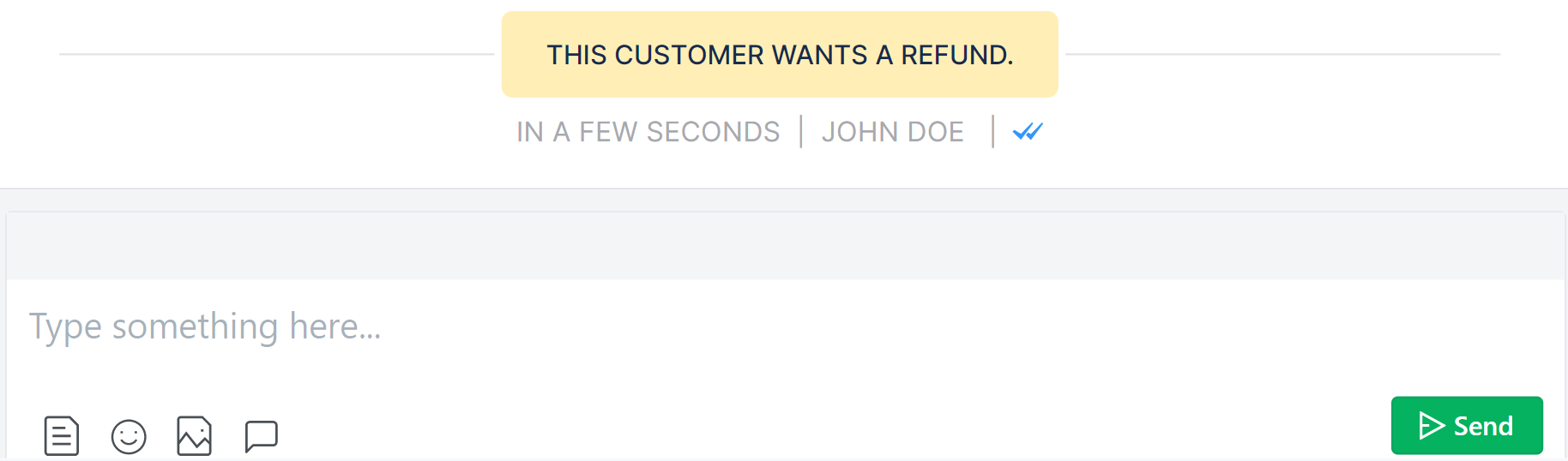
Use Note as a self-reminder while having conversations with a customer. The customer won’t be able to view your note.
Saving them as templates can save a lot of time.
1. Click on the canned response icon in your chat field, and a panel will pop up on your right.
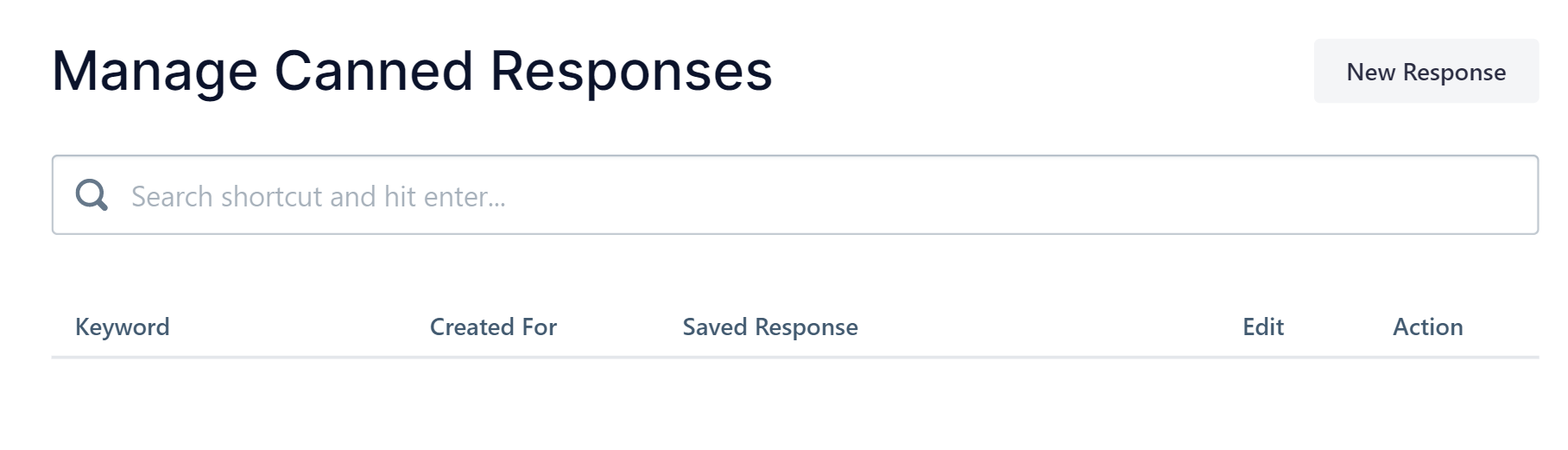
2. Click New Response and you will find a prompt that allows you to create a canned response.
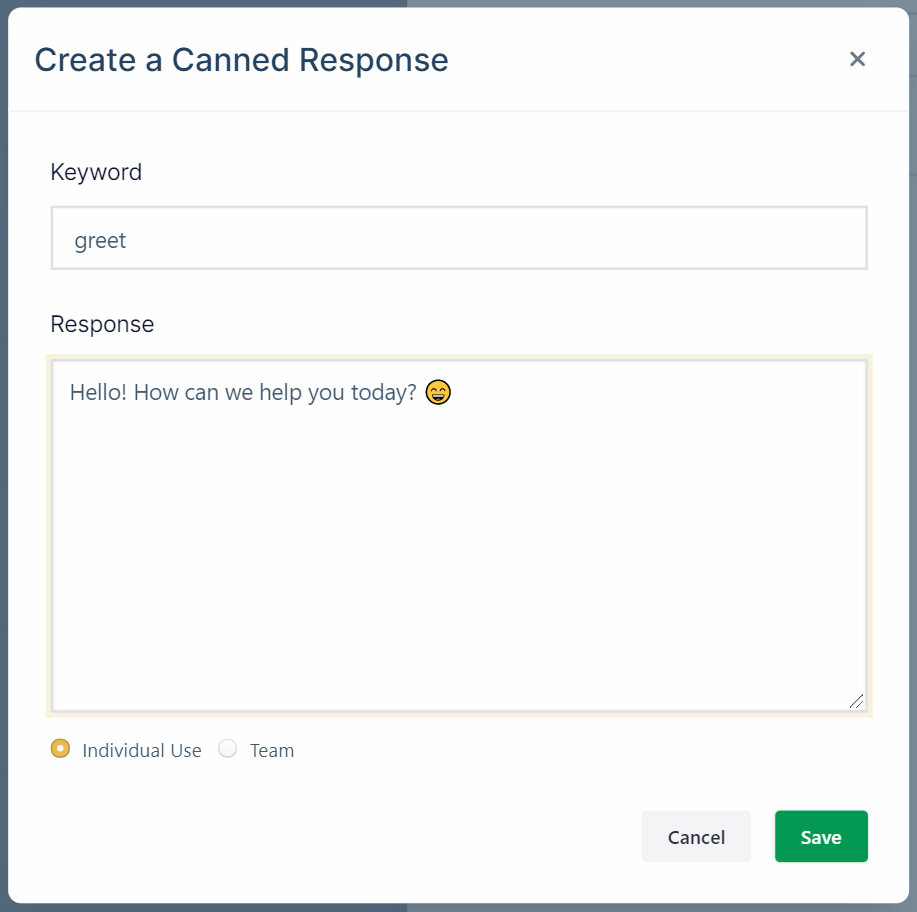
3. Write your response, set a keyword that will trigger the response, and decide if this response is for you or your entire team. Then hit Save.
Your email address will not be published. Required fields are marked *
Comment *
Name *
Email *
Website
Save my name, email, and website in this browser for the next time I comment.
Username or Email Address
Password
Remember Me