Warning: Trying to access array offset on value of type bool in /home/u804697833/domains/onshowcreative.populis.click/public_html/wp-content/themes/tessera/includes/bs4breadcrumb.php on line 100
Install LearnPress
Via WordPress Search
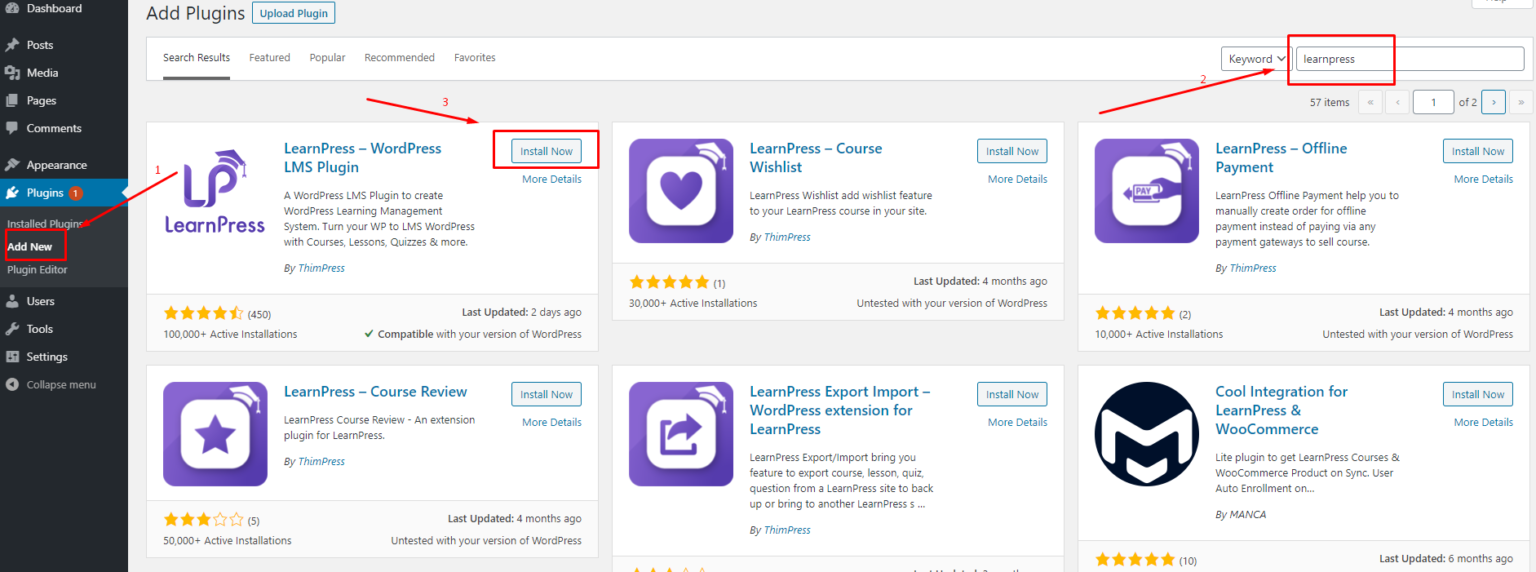
Follow the below steps to install our plugin LearnPress via WordPress Plugin Search:
Step 1. Visit Dashboard > Plugins > Add New
Step 2. Type ‘LearnPress’ on the search bar
Step 3. You will see Learnpress – WordPress LMS Plugin. Click Install Now
Step 4.Activate LearnPress plugin
NOTE
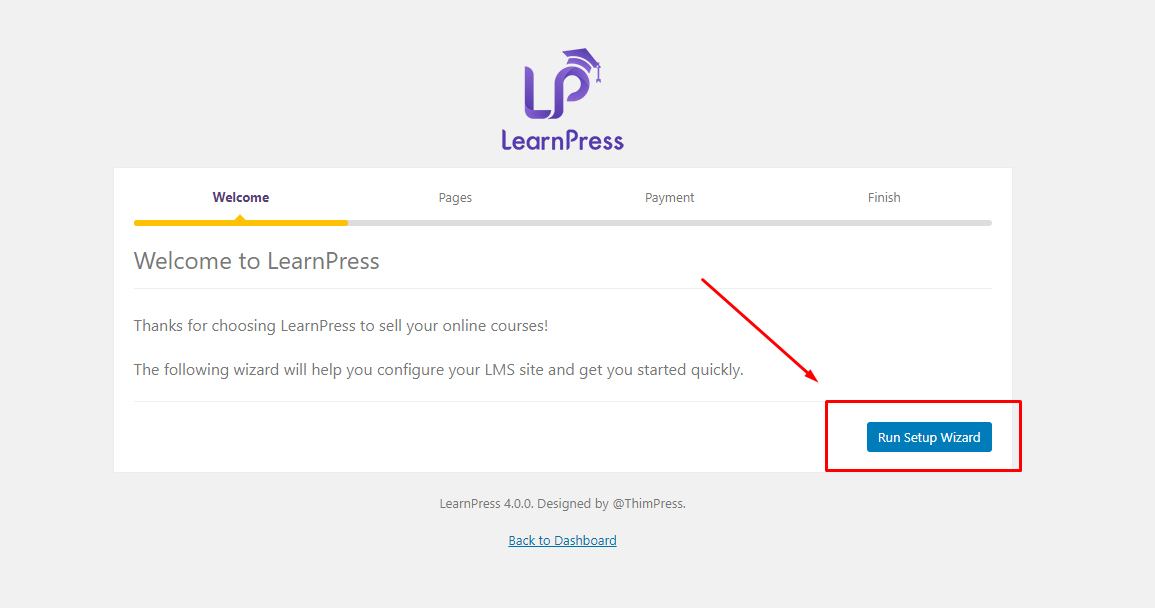
After you have installed/activated Learnpress, you need to configure some basic information before publishing your website. You can click the Quick Setup to configure them:
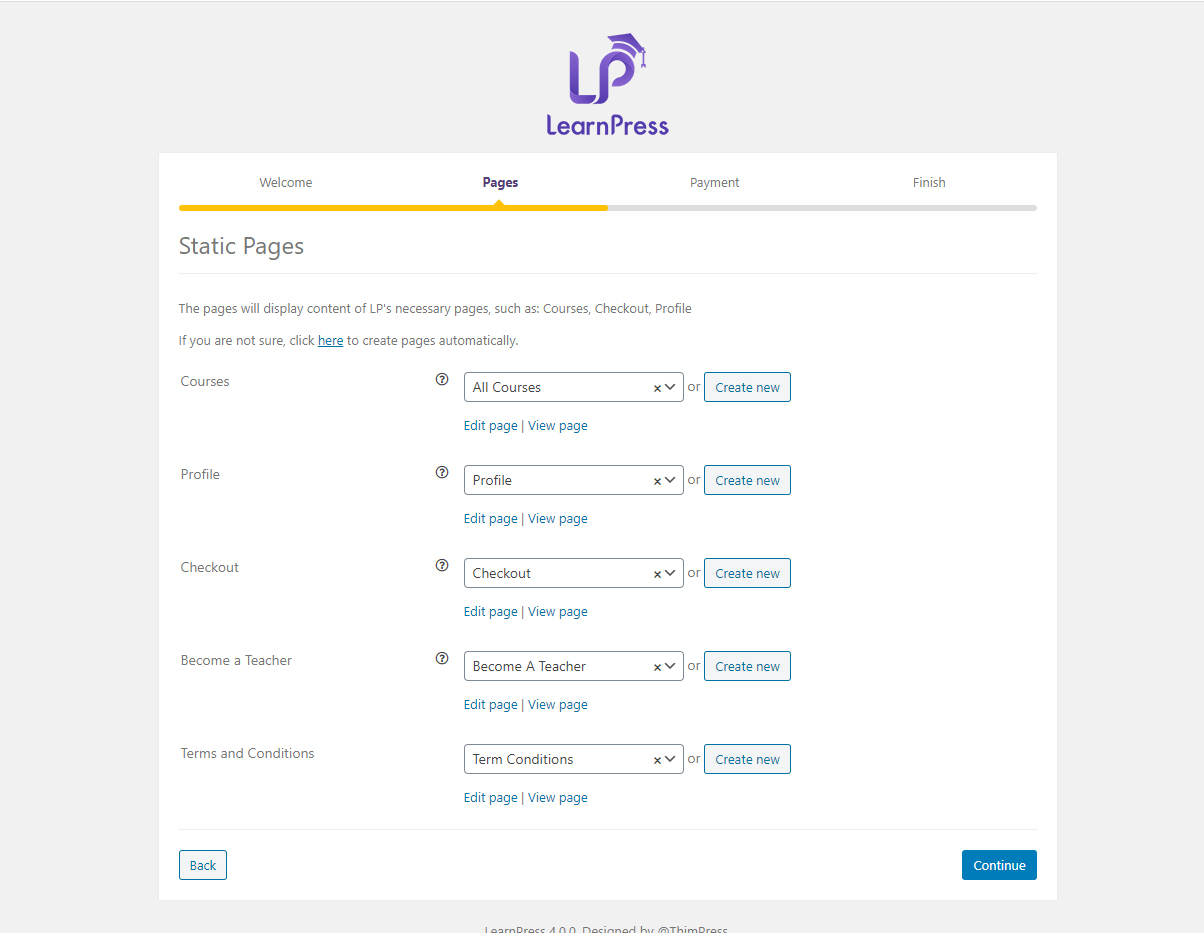
The screen will show setup options for Learnpress:
Static page: We have default pages when you install our plugin, you can change the pages if you want.
Payment: You can configure your Paypal email account and Currency which will be displayed on your website. You can click Continue to go to the next step.
Finish: You can install a demo course, create a new course, view our documentation, or go back to your dashboard.